
Your guide to the Health Portal
Access your documents, view fitness-for-work assessments and explore services to help you look after your health. We will guide you, one step at a time.
Sign in to the portalHow to sign in
To get started, open the portal’s sign-in page. Your username depends on how you are accessing the portal:
If you are a worker
Italian tax code
Use your codice fiscale (Italian tax code) as your username.
If you represent a company
VAT number
Use the company’s partita IVA (VAT number) as your username.
-
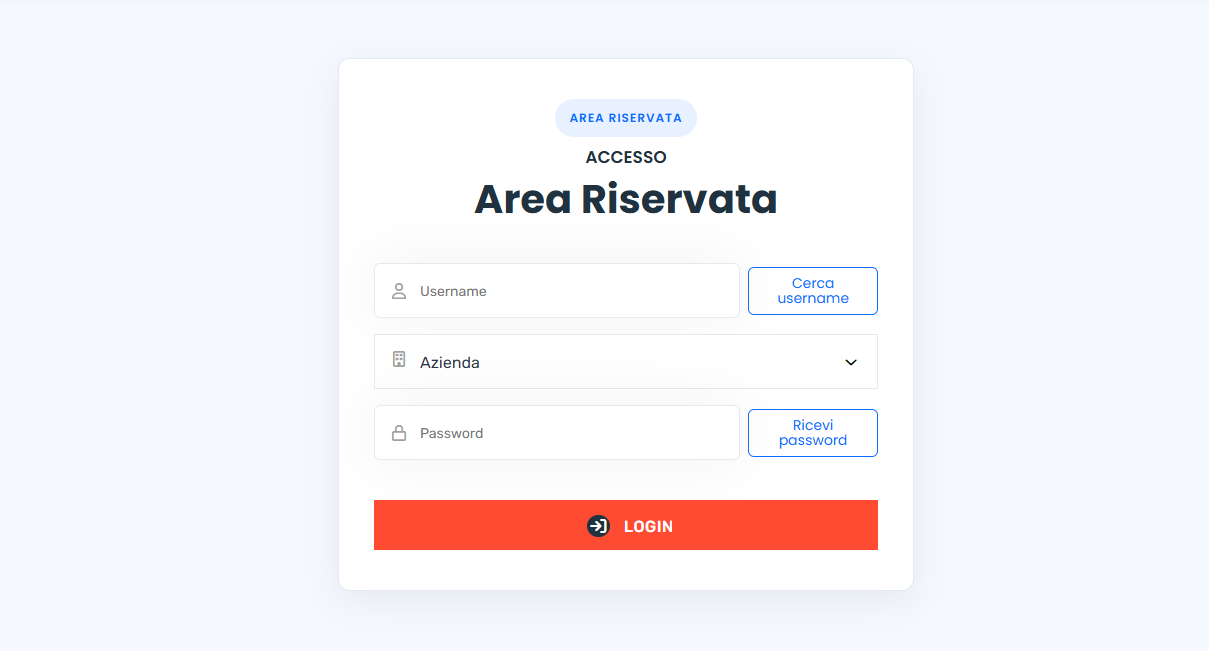
Enter your username
In the “Username” field, enter your Italian tax code if you are a worker, or the company’s VAT number if you represent a company.
-
Select “Cerca username” — Find username
You will receive a temporary OTP code by email. Enter it in the verification window and select “Verifica” (Verify). This first code identifies you and makes the companies linked to your account available.
-
Check and select the company
Check the name shown in the “Azienda” (Company) field. If you work for more than one company at the same time, choose the one you want to access the portal for.
-
Select “Ricevi password” — Get password
You will receive a one-time password by email. This is a new code, separate from the OTP you just used to find your username.
-
Enter the password and select “Login” — Sign in
Copy the one-time password into the “Password” field, then select “Login” to enter your private area.
 Open the full-size screenshot (new tab)
View and download assessments
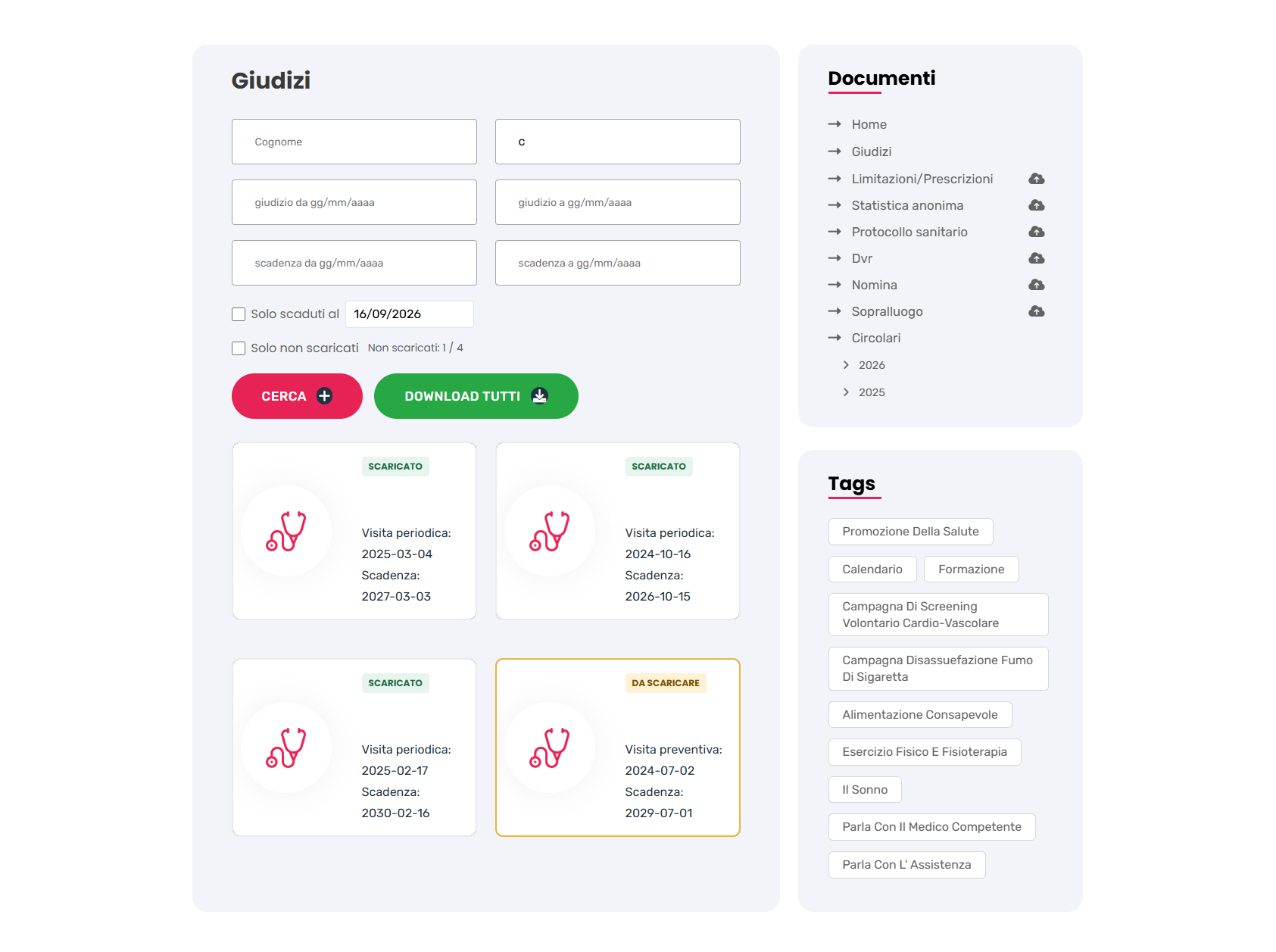
Once signed in, select “Giudizi” (Assessments) in the “Documenti” (Documents) section. On a phone, open the menu and select “Giudizi”.
Worker access
You will find your own fitness-for-work assessments. Choose the document you want to view and download.
Company access
You will find the assessments for your company’s workers, searchable by name or expiry date. Select the document you want to download.
 Open the full-size screenshot (new tab)
Downloading an assessment as a worker
-
Select the assessment
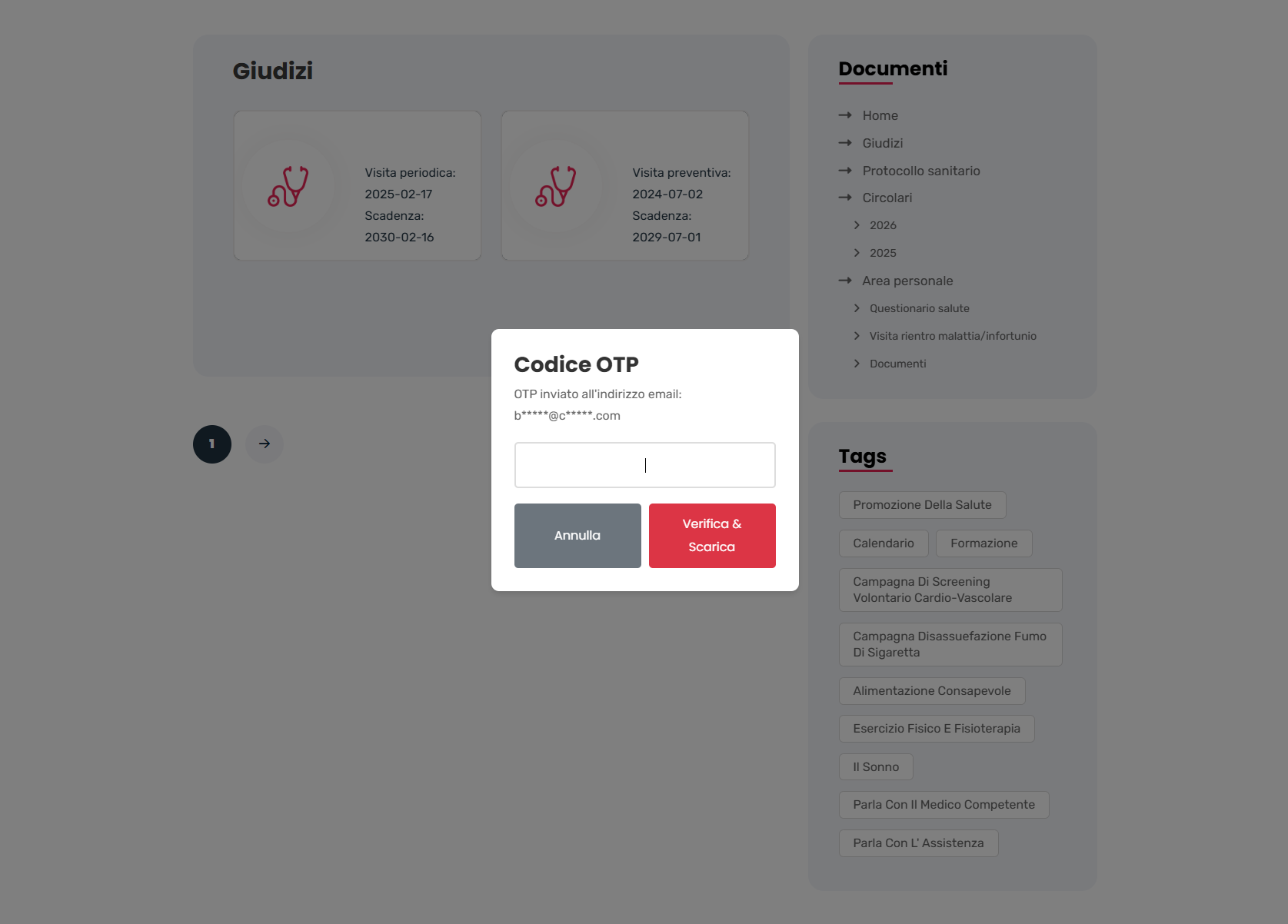
Start downloading the document you want to view. The portal will send a new OTP code to your email address.
-
Enter the OTP you received
Enter the code for that download in the window that appears. Do not use the username-search OTP or your sign-in password.
-
Confirm and download the document
Complete the verification to download your fitness-for-work assessment. This procedure allows the delivery of the document to be recorded.
 Open the full-size screenshot (new tab)
Delivery of your assessment
The portal makes fitness-for-work assessments available to companies and workers through a procedure that protects confidentiality and allows delivery to be tracked and certified. For workers, OTP verification is part of this procedure.
Download laboratory reports
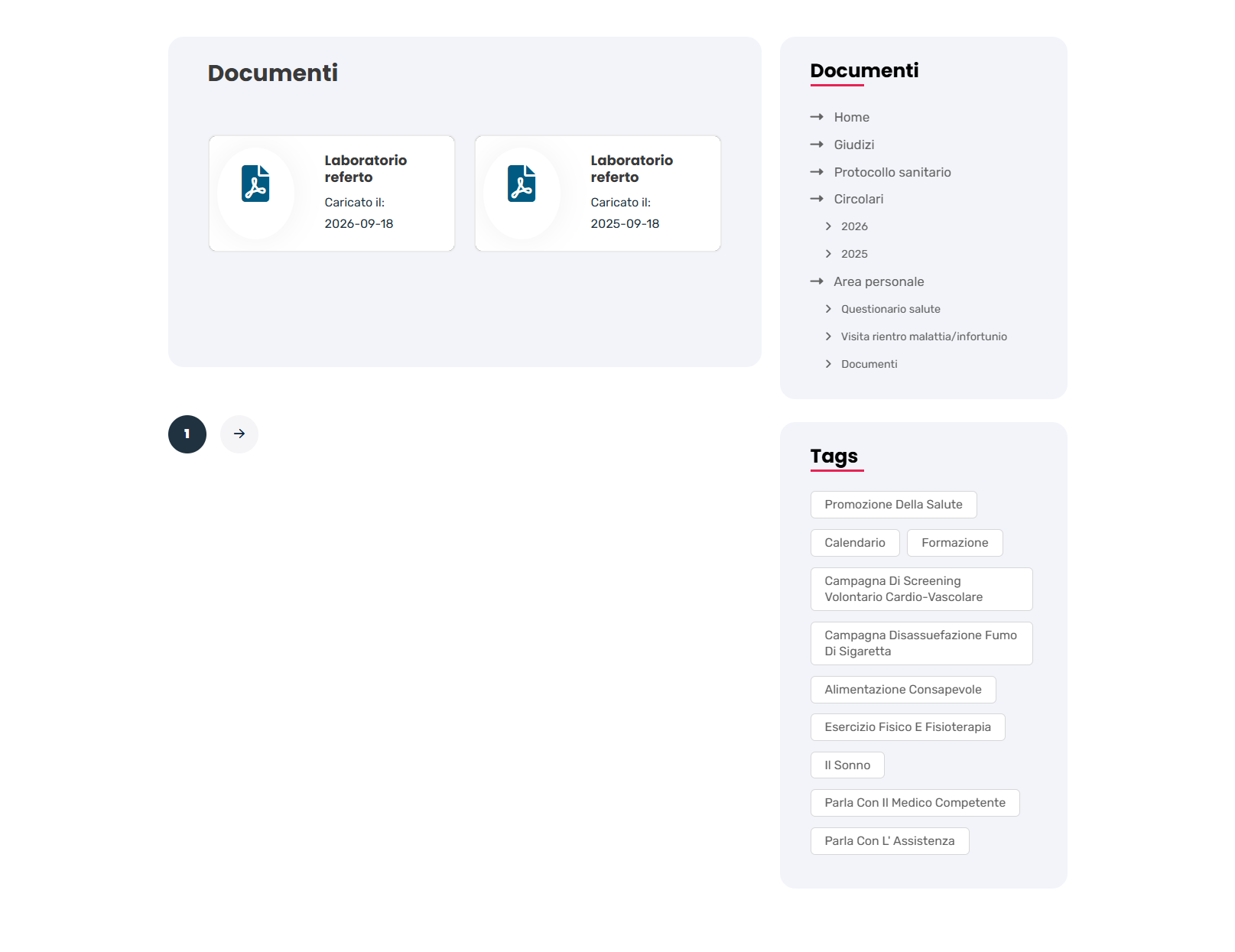
You can view and download your laboratory reports from “Area personale” (Personal area) / “Documenti” (Documents) in the portal.
-
Open your documents
Sign in to the portal and select “Area personale” (Personal area), then “Documenti” (Documents) from the menu. On a phone, open the menu first.
-
Find your report
Look for the “Laboratorio referto” (Laboratory report) card. Check the “Caricato il” (Uploaded on) date to choose the document you need.
-
Open and download the PDF
Select the report to open the document. If the PDF opens in your browser, use the PDF viewer’s download command to save it to your device.
 Open the full-size screenshot (new tab)
Prevention and training
The portal is also a place to learn about prevention and look after yourself. Explore the opportunities available: the main resources described in the information document are outlined below.
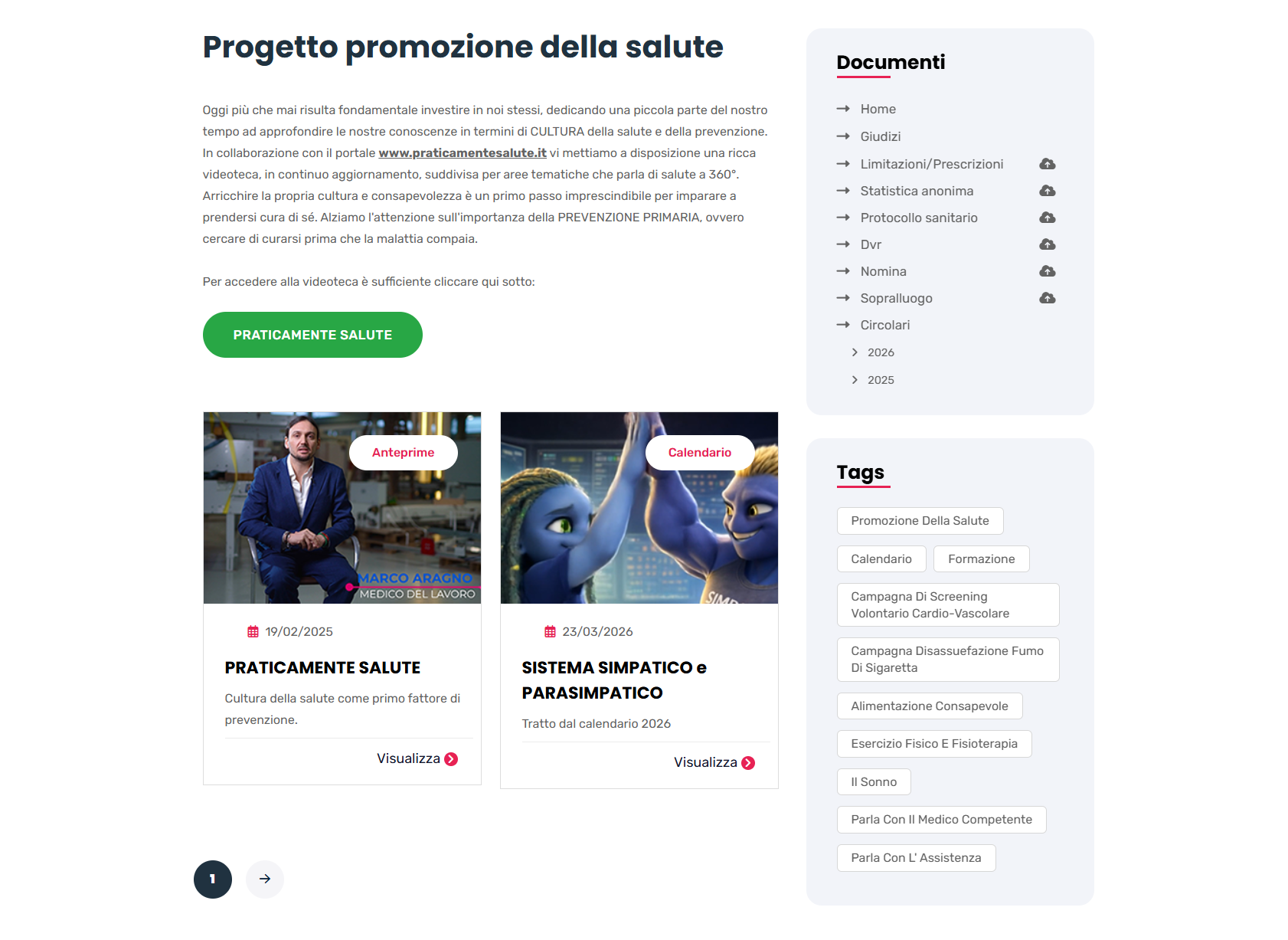
The Praticamente Salute video library
Inside the portal, select “Praticamente Salute” to open the video library created in collaboration with www.praticamentesalute.it. Videos are organised by topic, with new content on health and prevention added regularly.
Spending a little time learning about health can help you make more informed choices. Primary prevention starts here: looking after yourself before illness develops.
 Open the full-size screenshot (new tab)
General and specific training
A second video library covers health topics in relation to workplace risks. Its content is offered as a supplement to the general and specific training courses held within the company.
From this perspective, training becomes an opportunity to share and grow in terms of culture and awareness. Health and safety are both an individual and a collective responsibility.
Health promotion campaigns
-
Stop smoking
Discover “Spegni il passato, respira futuro” (Put out the past, breathe in the future), the smoking cessation programme.
-
Nutrition
Request a personalised nutrition plan through the initiatives offered in the portal.
-
Physical activity
Request a personalised exercise plan.
Contact the occupational physician
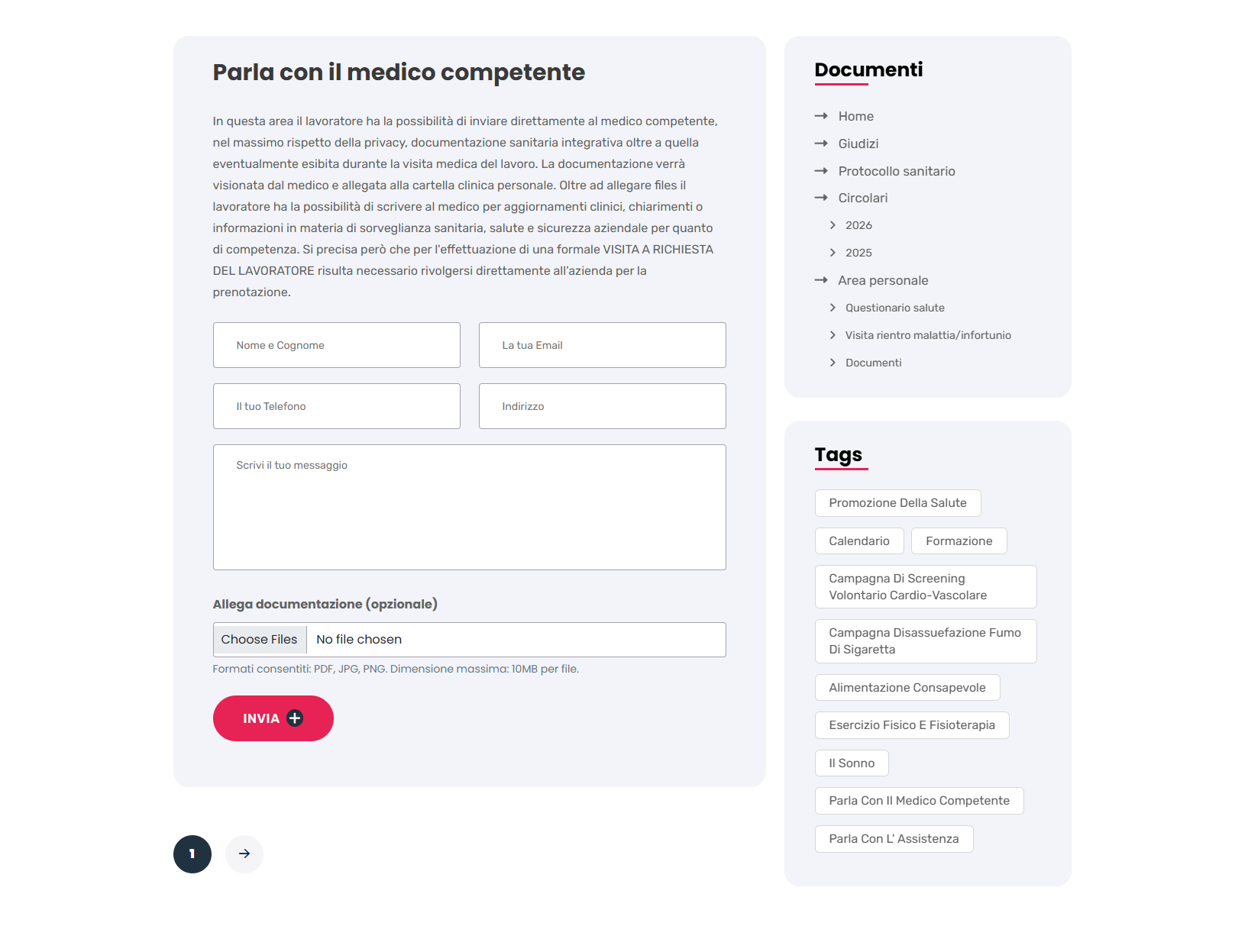
In “Parla con il Medico Competente” (Contact the occupational physician), you can write directly to the physician and securely submit additional medical documentation beyond anything you provided at your occupational health examination.
The physician will review the documentation and add it to your personal medical record. You can also use this communication tool to receive support or advice on using any company-provided health insurance funds for diagnostic tests or specialist consultations at affiliated medical centres.
 Open the full-size screenshot (new tab)
Contacts
For information and assistance, use the contacts listed in the information document.
-
ALBAMEDICA · Administration
amministrazione@
studioalbamedica.it -
Praticamente Salute
info@
praticamentesalute.it - Phone +39 349 1082387
Protect your health through informed everyday choices.
The portal is regularly updated with new videos and health promotion campaigns. Visit again to discover what is new.
Sign in to the portal